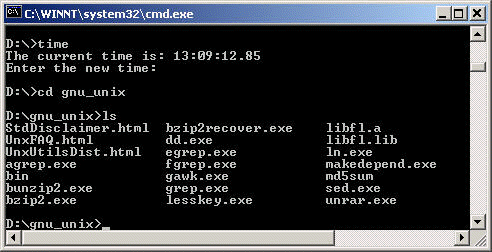
How do I get these Unix-like commands to work on my PC?
Sourceforge.net provides a package
called UnxUtils of common
GNU
utilities to native Windows. It includes a lot of commonly used Unix-like commands
and some text-processing programs such as GAWK. These commands and programs are
to be used from command line window and are very useful for managing files, in our case, mainly ASCII data files.
To install this package to your machine, assuming that your machine is
running Windows XP, you can simply follow the easy steps here.
Step 1: Follow the link and download the file
UnxUtils.zip
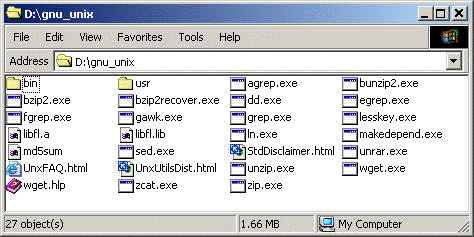
Step 2: Extracting all the files from UnxUtils.zip to a new directory.
For example, we will name the new directory d:gnu_unix.

Step 3: The last step is to set PATH for the utilities so they can be
used from any directory. To add a path is to add the path to the folder where
the programs are to the PATH variable. Following the
linkage here by a single click at each step:
Start -> Settings -> Control Panel -> System ->
Advanced -> Environment Variables
Now we are the Environment Variables window, we will only need to pay
attention to the lower window for System variables. Click on the
Path Variable and then click on Edit… Add
“d:gnu_unixusrlocalwbin;” to the path. Remember that each folder name is
separated by semicolon “;”.
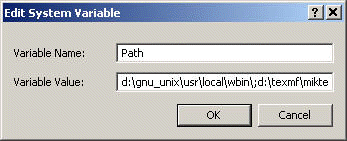
Click on OK(s) and it is finished.
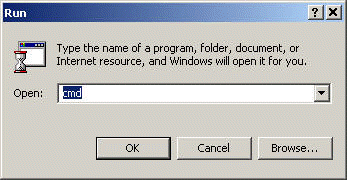
Let’s fire up a command-line window and give it a try.
Start -> Run -> Type in “cmd”
Try some commands now.