This module shows examples of combining twoway scatterplots. This is illustrated by showing the command and
the resulting graph. This includes hotlinks to the Stata
Graphics Manual available over the
web and from within Stata by typing help graph.
The data set used in these examples can be obtained using the following
command:
use https://stats.idre.ucla.edu/stat/stata/notes/hsb2, clear
This illustrates combining graphs in the following situations.
- Plots for separate groups (using by)
- Combining separate plots together into a single plot
- Combining separate graphs together into a single graph
Plots for separate groups |
|
|
|
|
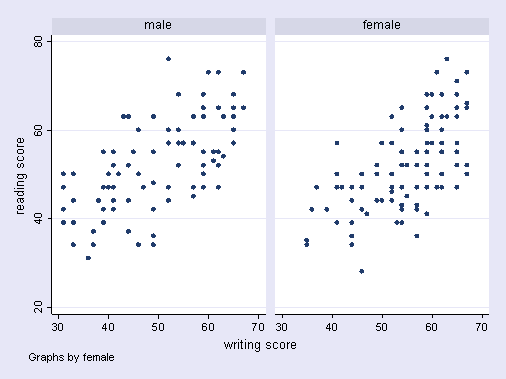
Separate graphs by gender (male and female)twoway (scatter read write), by(female)
|
|
|
|
|
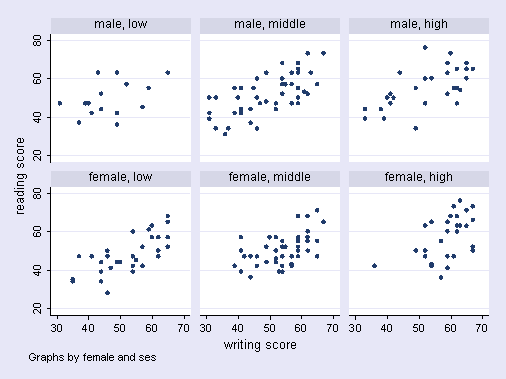
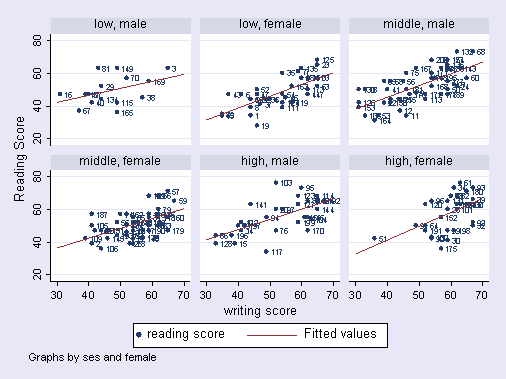
Separate graphs by ses and gendertwoway (scatter read write), by(female ses) |
|
|
|
|
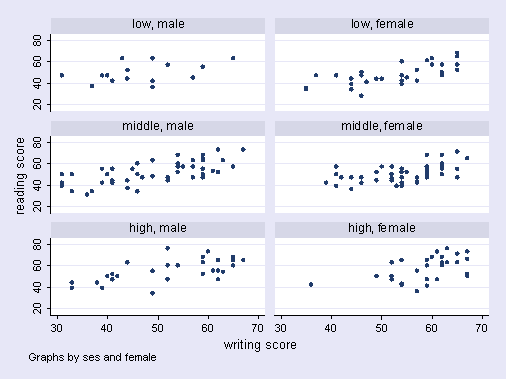
Swapping position of ses and gendertwoway (scatter read write), by(ses female, cols(2))
|
|
Combining scatterplots and linear fit in one graph |
|
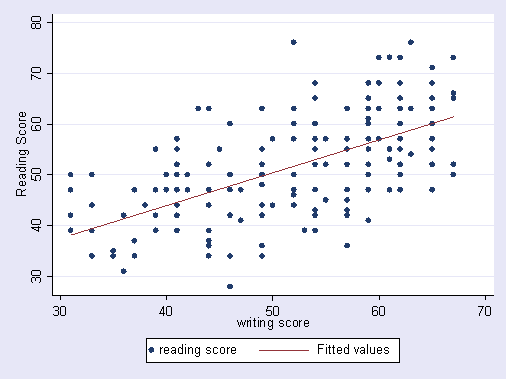
Scatterplot with linear fit
|
|
|
|
|
Graphs separated by SES and female with
|
|
|
|
|
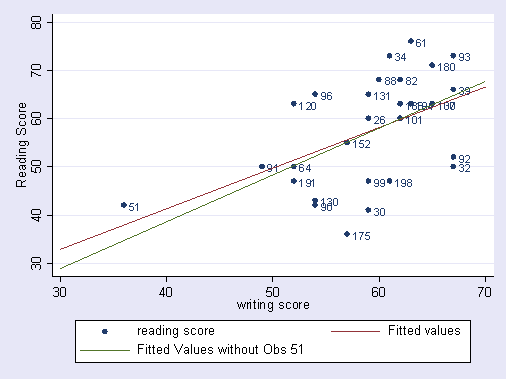
Graph for high ses females with linear fit with and without obs 51
|
|
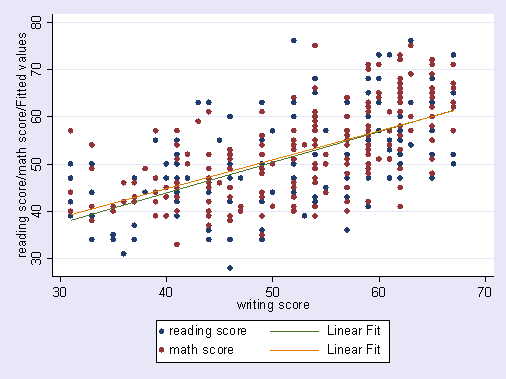
Combining scatterplots with multiple variables and
|
|
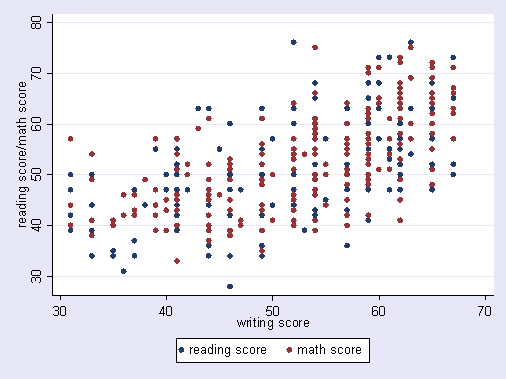
Reading and math score by writing score
|
|
|
|
|
Reading and math score by writing score
|
|
|
|
|
Adding legend to above graph
|
|
|
|
|
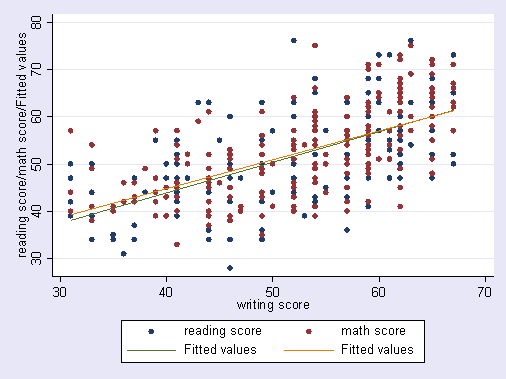
Final version of graph making line style same as dot style, and ranges the same
|
|
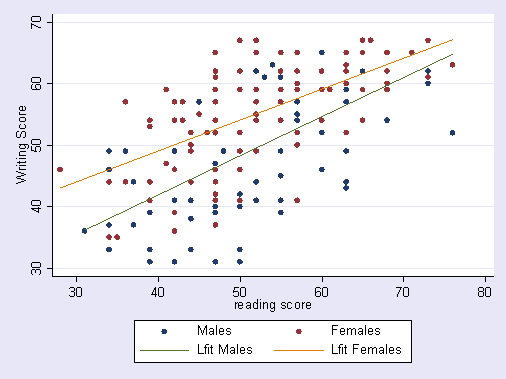
Combining scatterplots and linear fit for separate groups |
|
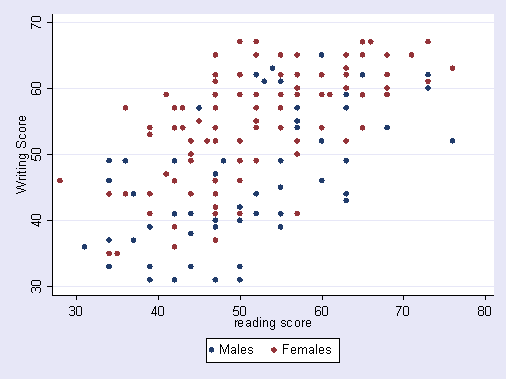
Overlay graph of males
|
|
|
|
|
Overlay graph of males
|
|
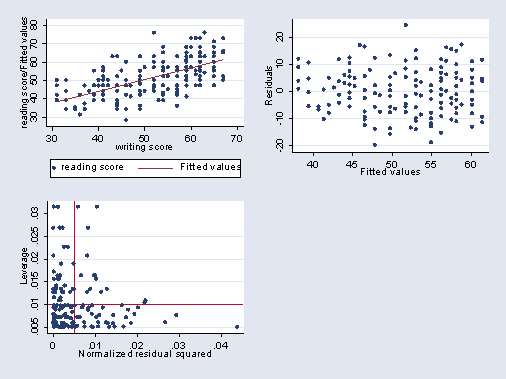
Combining separate graphs into one graph |
|
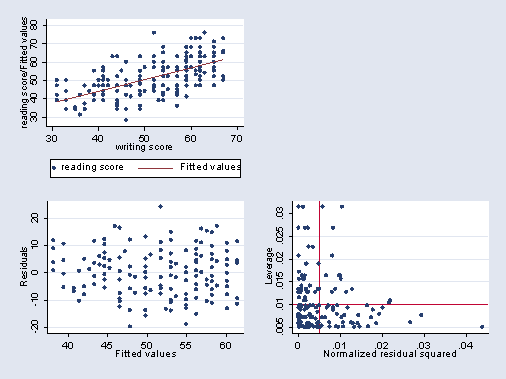
Making the GraphsFirst, we make 3 graphs (not shown) twoway (scatter read write) (lfit read write), name(scatter) regress read write rvfplot, name(rvf) lvr2plot, name(lvr) Now we can use graph combine to combine these into one graph, graph combine scatter rvf lvr
|
|
Combining the graphs differentlyWe can move the place where the empty graph is located, as shown below. graph combine scatter rvf lvr, hole(2)
|
|